Subagent Operating Model

A context-safe delegation model for AI subagents, built for Codex and Claude. One router prevents agent sprawl, routes work to the fewest useful capabilities, passes compact state packets, preserves ownership boundaries, and quality-gates handoffs so supervision, trigger tuning, and least-privilege delegation stay visible.
Open source
Codex + Claude
State packets
Memventory — Personal
A private cross-tool AI memory for one person: keep decisions, preferences, and project context available across Claude, Codex, and Cursor, without restating the same background in every new task. It keeps project-specific guidance discoverable too, so local ways of working do not disappear into a generic global rule.
Management Console
Claude · Codex · Cursor
Context continuity
Runs in your browser
Memventory — Team
A team-safe second brain for shared work: decisions, operating context, and source-grounded knowledge remain available across Claude, Codex, and Cursor, while the guidance that belongs to one project stays with that project. Human approval keeps new shared memory trustworthy.
Management Console
Approval gate
Project-aware context
Runs in your browser
AI Prose Pattern Detector
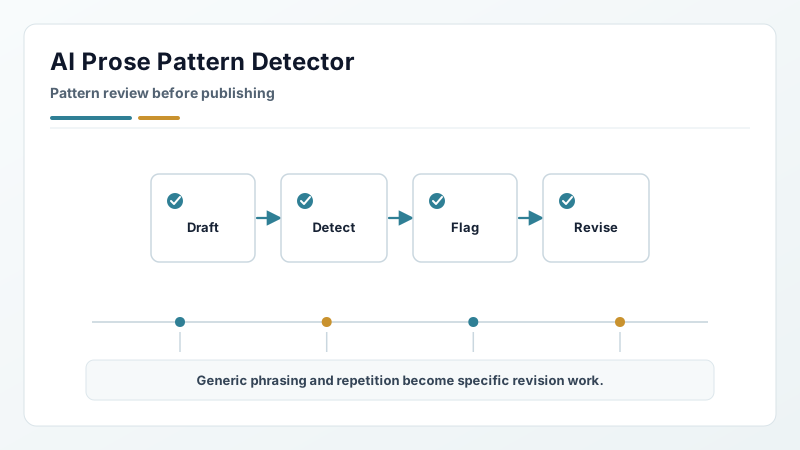
A copy-improvement tool, not an AI verdict machine. It asks whether a draft says anything before it asks how the draft sounds: a paragraph carrying no name, no number with its mechanism, no bounded event, and no decision is filler that no line edit will save. Then it corrects the generic, over-processed, and AI-shaped patterns that survive. It returns corrected copy across portfolio pages, professional writing, summaries, resumes, and cover letters — never a score, never an authorship verdict.
Open source
Writing review
No scores